A/B test jQuery performance cheat sheet
Five jQuery techniques that keep A/B tests under their performance budget — selector speed, caching, chaining, event delegation, and DOM-write batching.
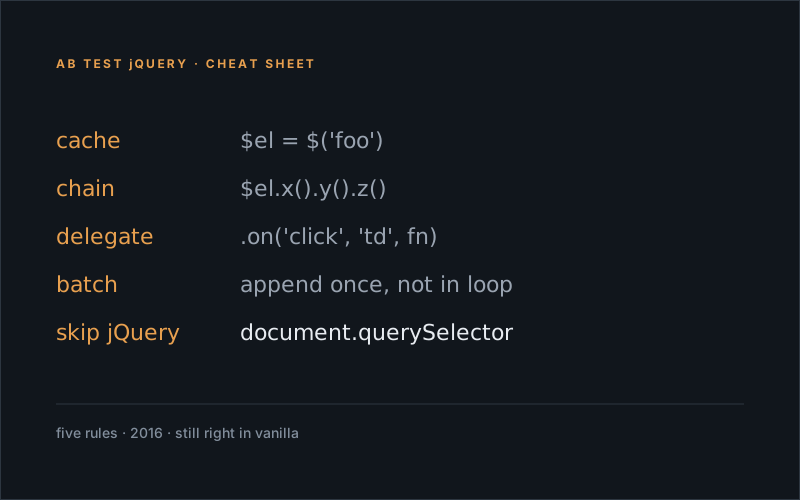
If you write AB tests with jQuery you have to make sure you write your code as optimised as possible. Every millisecond you shave off results in less chance of unwanted repaint or reflow flickers.
Update: Tip number 1: Do NOT use jQuery! Why wait for a library to load, when vanilla JS nowadays does everything jQuery does – but faster.
Use Faster Selectors.
Know which selectors perform the fastest to optimise your code!
// ID selector - very fast (document.getElementById)
$("#id");
// TAG selector - fast (document.getElementsByTagName)
$("p");, $("input");, $("form");
// CLASS selector - performs well in modern browsers (document.getElementsByClassName)
$(".class");
// ATTRIBUTE SELECTOR - slow - needs document.querySelectorAll to perform OK-ish
$("[attribute=value]");
// PSEUDO selector - slowest - needs document.querySelectorAll to perform OK-ish
$(":hidden");

// also, instead of this:
$("#id p");
// do this:
$("#id").find("p"); // --> limit the scope that has to be searched: more than twice as fast!
Use Caching.
Basically every time you use
$('someselector')you iterate through the dom. If you need an element more than twice, you should store the element reference!
// instead of this:
$('a.contactus').css('padding', '10px');
$('a.contactus').css('margin', '4px');
$('a.contactus').css('display', 'block');
// do this:
var myvar = $('a.contactus');
myvar.css({
padding: '10px',
margin: '4px',
display: 'block'
}); // element stored, CSS passed as object
Use Chaining.
Chained methods will be slightly faster than multiple methods made on a cached selector, and both ways will be much faster than multiple methods made on non-cached selectors.
// instead of this
$("#object").addClass("active");
$("#object").css("color","#f0f");
$("#object").height(300);
// do this
var myvar = $('a.contactus');
myvar.addClass("active").css("color", "#f0f").height(300);
Use Event Delegation.
Event listeners cost memory.
// instead of this: (an event listener for EVERY table cell)
$('table').find('td').on('click',function() {
$(this).toggleClass('active');
});
// do this: (an event listener for only the table that gets fired by its 'td' children)
$('table').on('click','td',function() {
$(this).toggleClass('active');
});
Use Smarter DOM Manipulation.
Every time the DOM is manipulated, the browser has to repaint and reflow content which can be extremely costly.
// instead of this:
const arr = [reallyLongArrayOfImageURLs];
$.each(arr, function(count, item) {
let newImg = '<li><img src="'+item+'"></li>';;
$('#imgList').append(newImg); // aargh a selector in a loop! and we're adding an element here, too!
});
// do this
var arr = [reallyLongArrayOfImageURLs],
tmp = '';
$.each(arr, function(count, item) {
tmp += '<li><img src="'+item+'"></li>'; // no selector and the HTML to add is stored in a variable...
});
$('#imgList').append(tmp); // ..that will be added once when the loop has finishedUpdate — 2026-05
Ten years on and most of this advice is now archeological — jQuery has effectively left the front-end. The patterns are still right; the syntax has just moved into the platform.
The same cheat sheet, in modern vanilla:
// "selector caching" — just hold the reference
const cta = document.querySelector("a.contact-us");
cta.style.padding = "10px";
cta.style.margin = "4px";
cta.style.display = "block";

// event delegation — same idea, native API
document.querySelector("table").addEventListener("click", (e) => {
	if (e.target.matches("td")) e.target.classList.toggle("active");
});

// batched DOM writes — still build-then-insert, no jQuery wrapper needed
const html = arr.map((item) => `<li><img src="${item}"></li>`).join("");
document.getElementById("imgList").insertAdjacentHTML("beforeend", html);
The bigger shift since 2016 isn’t selector speed — it’s that we don’t poll the DOM anymore. The recoveryArea framework now uses MutationObserver to react to insertions and IntersectionObserver to react to viewport entry. The “shave a millisecond per selector” mindset turned into “don’t do the work at all until the browser tells you it’s needed.” See my mutation-observer post and the IntersectionObserver rewrite for the modern equivalents.