Building a developer-friendly Chrome extension: script redirector with live reload
Inside MintMinds RequestLite: a Manifest V3 Chrome extension that redirects production script URLs to localhost and live-reloads tabs over WebSocket.
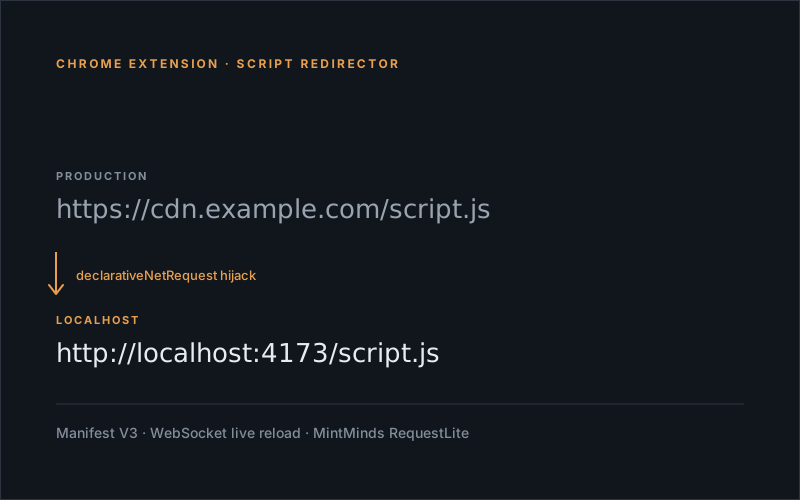
The whole Toolbox developer experience hinges on one thing: making a live production site load my localhost script instead of the real one, with no code changes to the production site itself. The third-party script-injection extension I used to use worked but was always one Chrome update away from breaking. So I wrote my own. MintMinds RequestLite does two things: redirect production script URLs to localhost, and live-reload the tab when the local file changes.
Redirecting at the network layer
Manifest V3 deprecated the webRequest blocking API and replaced it with declarativeNetRequest — fewer permissions, much faster, but you have to declare your rules instead of writing handler functions. For RequestLite that’s actually fine — every redirect rule is just a stored JSON object:
{
  "id": "my-script",
  "name": "My Development Script",
  "enabled": false,
  "match": "https://cdn.example.com/script.js",
  "redirect": "http://localhost:4173/script.js"
}
The popup UI lists these rules with toggles. Toggling one on registers it with declarativeNetRequest; toggling off unregisters it. Chrome handles the rest at the network layer — production site requests its CDN URL, Chrome rewrites the response source to localhost, the page never knows the difference.
One Manifest V3 gotcha: rule IDs have to be numeric. Internally I store the user-friendly string id alongside a stable numeric hash:
export function stringToHashCode(str) {
  let hash = 0;
  for (let i = 0; i < str.length; i++) {
    hash = ((hash << 5) - hash) + str.charCodeAt(i);
    hash |= 0;
  }
  return Math.abs(hash % 2147483647) + 1;
}
Same string in → same numeric ID out. Means rule registration is idempotent across reloads.
Live reload over WebSocket
The matching half: when the local file changes, the tab needs to refresh. RequestLite registers a content script dynamically (no manifest declaration — Manifest V3 wants you to do this at runtime via chrome.scripting):
await chrome.scripting.registerContentScripts([{
  id: "livereload-script",
  matches: ["<all_urls>"],
  js: ["src/content/livereload.js"],
  runAt: "document_start"
}]);
That injected script opens a WebSocket to localhost:5678 — the dev server I have watching files in the Toolbox repo:
try {
  const socket = new WebSocket("ws://localhost:5678");
  socket.addEventListener("message", (event) => {
    if (event.data === "reload") {
      console.log("🔁 reload triggered by dev server");
      location.reload();
    }
  });
} catch (error) {
  console.warn("Error setting up LiveReload listener:", error);
}
Dev server watches files, detects a change, broadcasts "reload" over the socket, every relevant tab refreshes. Multiple Chrome instances, multiple profiles — they all listen on the same socket and reload in lockstep.
What it deliberately doesn’t do
No code modification, no header rewriting, no DOM injection. The extension only redirects script URLs and reloads tabs. Anything fancier — auth headers, request bodies, response transformation — would need the more permissioned webRequest API (gone in MV3 for non-enterprise) or some clever workarounds. RequestLite stays small on purpose: it does the one thing that turns a production site into a hot-reloadable dev surface, and nothing else.
The extension’s settings persist via chrome.storage, so once configured for a client (production URL → localhost URL pair), the loop survives browser restarts. New client = new rule, takes about thirty seconds to add.
That’s RequestLite. The Toolbox post linked at the top covers how it composes with Vite watch mode and the per-client experiment scaffolder; this post is just about the extension itself.
Happy redirecting 🙂