Track that!
A pocket-sized click introspection helper that JSON-stringifies the source element, its index, text, and every attribute — useful as A/B test custom tracking.
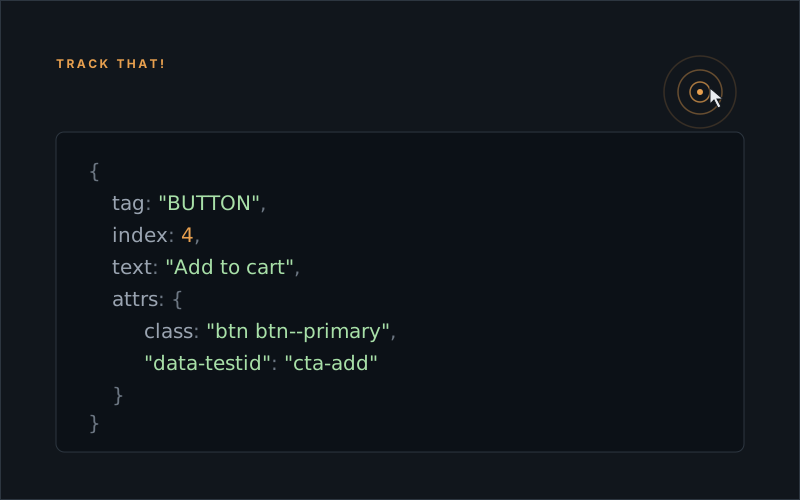
This function tracks every event with all its attributes in the div that’s set in the caller function. Handy if you need custom tracking for your AB test.
var trackThat = function() {

	var t = {},
		r = {},
		a = window.event ? window.event.srcElement : i.target,
		c = document.getElementsByTagName(a.tagName),
		k = "";
	try {
		for (var d = 0; d < c.length; ++d) c[d] == a && (r.tag = a.tagName, r.index = d, r.text = a.hasChildNodes() ? a.childNodes[0].data : "null"); for (var l, d = 0, o = a.attributes, g = o.length; g > d; d++) l = o[d], t[l.nodeName] = l.nodeValue;
		r.attrs = t, k = JSON.stringify(r);
	} catch (i) {
		k = "error: " + i.message;
	} finally {
		return k;
	}
};

$( 'div.main-holder' ).on('click', function(e){
	console.log(trackThat(e));
});
Update — 2026-05
The function still works. In 2026 you’d probably reach for one of two patterns instead, both cleaner:
// 1. Modern attribute introspection via dataset + Object.fromEntries
function trackThat(e) {
	const el = e.target;
	return {
		tag: el.tagName,
		text: el.textContent.trim().slice(0, 40),
		dataset: { ...el.dataset },
		attrs: Object.fromEntries([...el.attributes].map((a) => [a.name, a.value])),
	};
}

// 2. Or skip the introspection entirely and dispatch a CustomEvent
//    carrying the payload up the tree
el.addEventListener("click", () => {
	el.dispatchEvent(new CustomEvent("track", {
		bubbles: true,
		detail: { source: "ra-031-cta", variant: "B" },
	}));
});
Same idea — capture the click context for analytics — but the platform has caught up. dataset gives you a typed object for data-* attributes for free, and CustomEvent lets you bubble structured payloads to a single listener at the top of your tree instead of binding everywhere.